Guided setup and children without email
Parents can follow a guided family setup. Supported child accounts can be created without an email address.
Share household responsibilities and agree how to handle them and any rewards — rewards are always optional. Úkolovníček is opening gradually to selected pilot families.
This version of the app is not production-ready yet.
Chore Tracker is still under active development. Features may change, some parts may be temporarily limited, and app behavior or stored data may still be adjusted as the product evolves.
Tasks, responsibilities, progress, and optional rewards — without assuming every chore is paid.
Save chores to a family list, assign them to family members, and reuse routines for recurring tasks.
Parents choose which chores, if any, have a cash reward. Everyday responsibilities can remain unpaid.
See who is responsible for what, what is done, and what is waiting for parent approval.
Children can set goals and follow their savings progress from their available balance.
Badges and a friendly family leaderboard make progress visible and help children stay motivated.
Parents can follow family activity, financial summaries, and progress.
Availability varies by household. Administrators enable supported pilots for selected families; some also need parent setup or consent.
Parents can follow a guided family setup. Supported child accounts can be created without an email address.
Split selected chores between children or record a responsibility without a cash reward.
A separate schedule is recorded in the app apart from chore rewards. It is not a bank transfer, and the balance is not automatically moved into payouts or savings.
Children can exchange family points for catalogue rewards after parent approval. Points are not money or authority over a device or operating system.
Calm reminders require parent and recipient opt-in. WhatsApp also needs separate administrator approval and parent setup.
An already signed-in child can see their next task and progress. This is not a shared-profile or kiosk mode.
A child can request an extension and a parent can review it as a family agreement. The feature does not lock a device or enforce screen time.
Activity history and assisted access for a second parent are separate pilot options enabled for specific households.
This pilot runs only as a PWA and needs a separate parent-approved grant for seven days. It shows daily chores, cannot complete them, and does not show finances.
Pilot availability differs by platform. The Board is PWA-only; the iOS beta is for approved testers through TestFlight. An Android build can be produced for testing, but public store availability is not confirmed.
Status as of 28 October 2026
We are improving how the app handles weak networks, returning to the foreground, and reconnecting.
Details #524The public-page optimization is implemented on a separate branch but has not been deployed.
Details #521We are still evaluating an always-on mode and less frequent refreshes. This remains a proposal and needs real-device validation.
Details #493A visual preview of the app interface. Screens and pilot features can vary by platform and household availability.
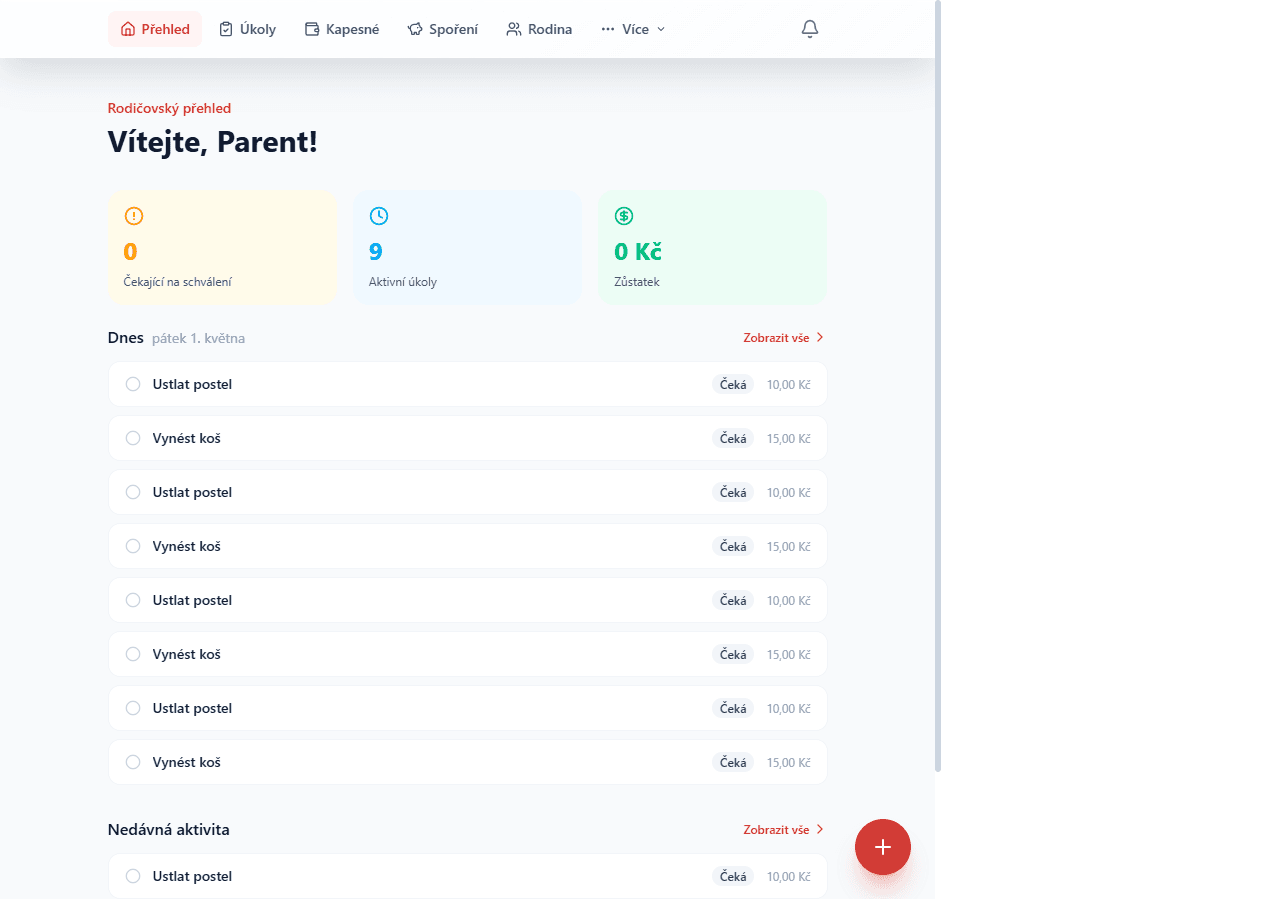
Today's chores, pending approvals, and family progress together on one screen.
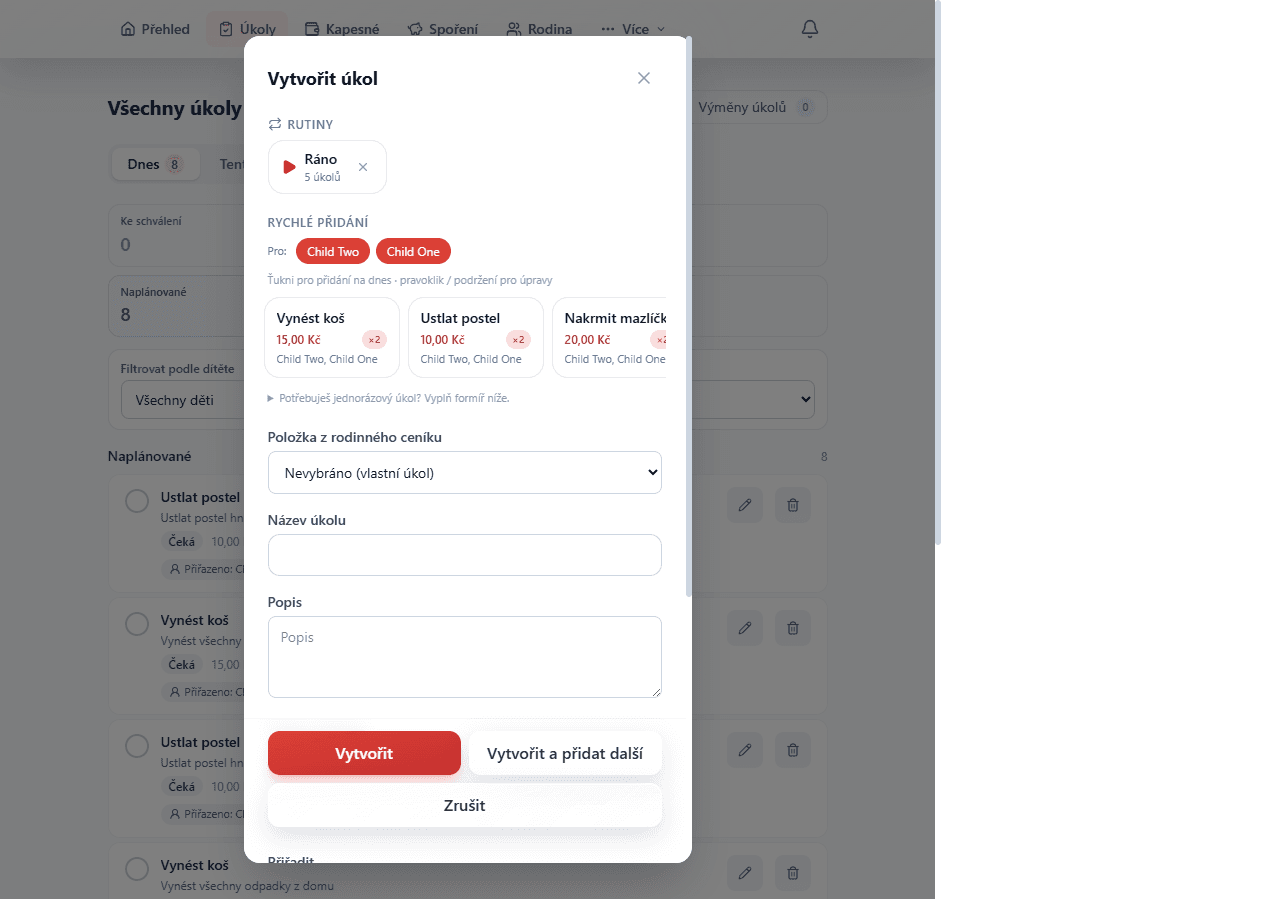
Pick the kids, tap the price-list chores and they're added for everyone at once. Save as a routine and run it every morning with a single button.
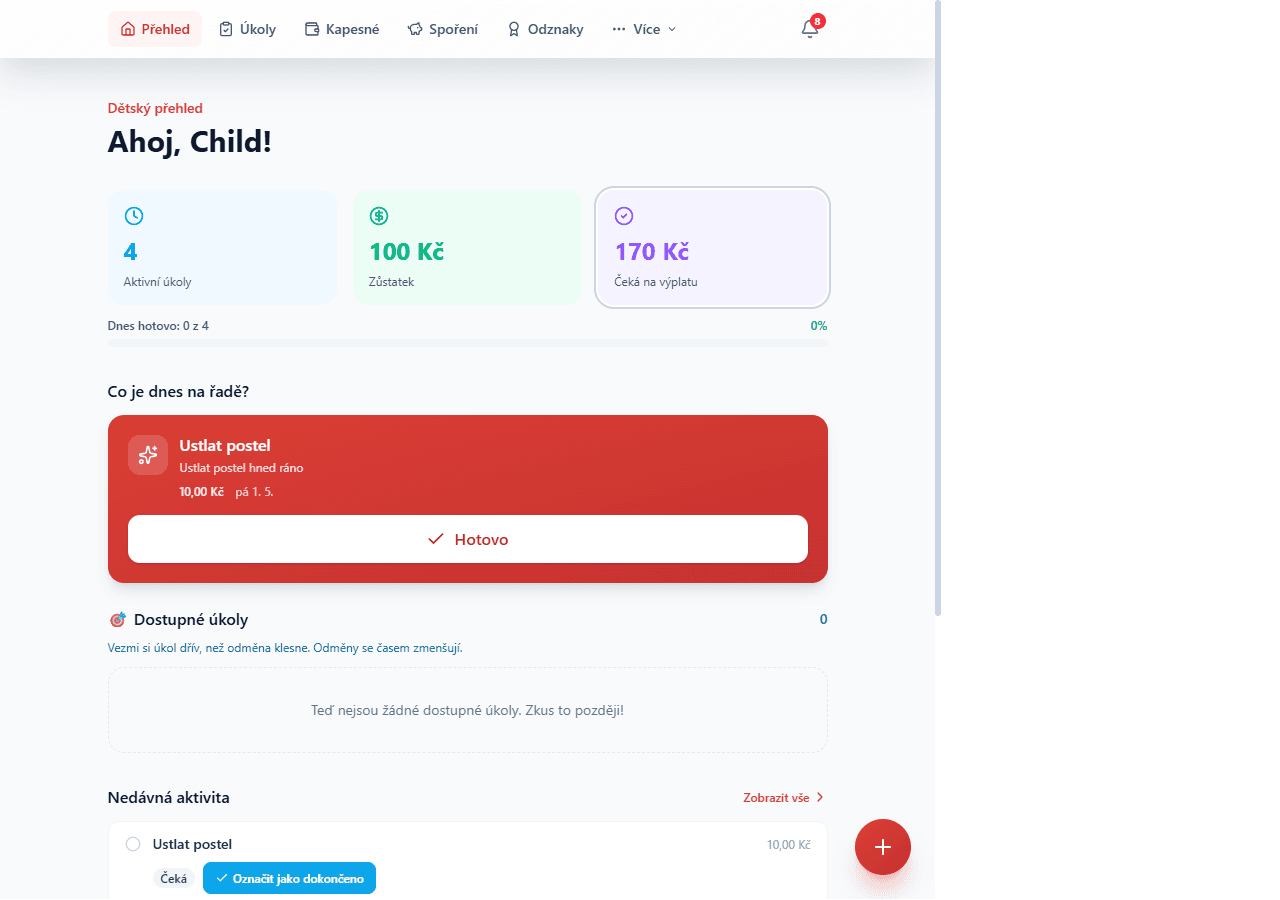
The next task, daily progress, and available chores; any rewards depend on each family's agreement.
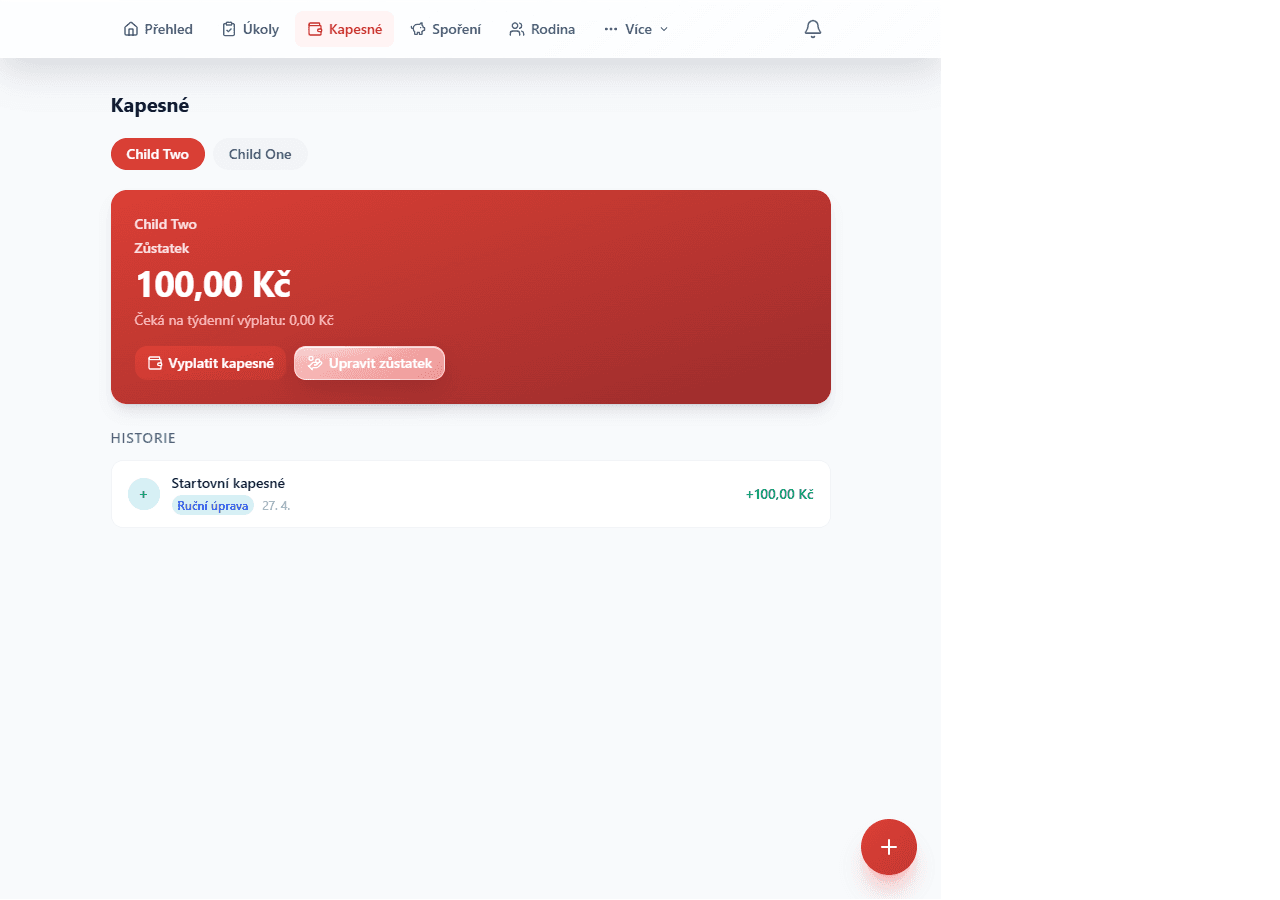
Review agreed cash rewards and their history. Parents record payouts in the app; this is not a bank transfer. Regular allowance is a separate pilot.
Approved testers use the iOS beta through TestFlight. The web and mobile apps share accounts and chores, but some screens and pilot features vary by platform.
If you are already an approved tester, use the configured TestFlight invitation to install the current beta.
Open TestFlightThree steps from expressing interest to getting access for your family
Fill out the form or request details about the pilot test.
We will confirm testing scope and approve access for your household.
Get access to the app, try out features with your family, and share feedback.
Request information about our closed family pilot program.
Request information